Showcase studios
These studios show how device labs combine into tools, observable protocols, and ambient software. Each uses the public C API, renders at 800×600, and has a deterministic path for teaching and screenshots.
| Studio | Main systems | Infrastructure to reuse |
|---|---|---|
| Pixel Studio | mouse, keyboard, PIT, RTC, VBE | tools, drag gestures, palettes, history, export |
| Paired Serial Whiteboard | mouse, keyboard, PIT, VBE, UART | framing, sequencing, reconnect, resync |
| Focus Clock | RTC, PIT, keyboard, mouse, VBE, audio | wall time vs monotonic time, modes, signals |
| Interrupt Scope | PIT, RTC, keyboard, mouse, UART, VBE | rate windows, byte histories, event logging |
| Tile Forge | mouse, keyboard, PIT, RTC, VBE | layered maps, validation, serialization, playtest |
| Reliable Serial Transfer | PIT, UART, VBE | manifests, block transfer, checksum, retry |
| Ambient Aquarium | RTC, PIT, mouse, keyboard, VBE, audio | time-aware behavior, deterministic animation |
On macOS use Command where a shortcut says Cmd; use Ctrl on other hosts. Cmd/Ctrl+W closes a studio. Esc closes help before exiting.
The nine screenshots come from devenv shell -- sh scripts/capture_showcase_examples.sh.
Pixel Studio
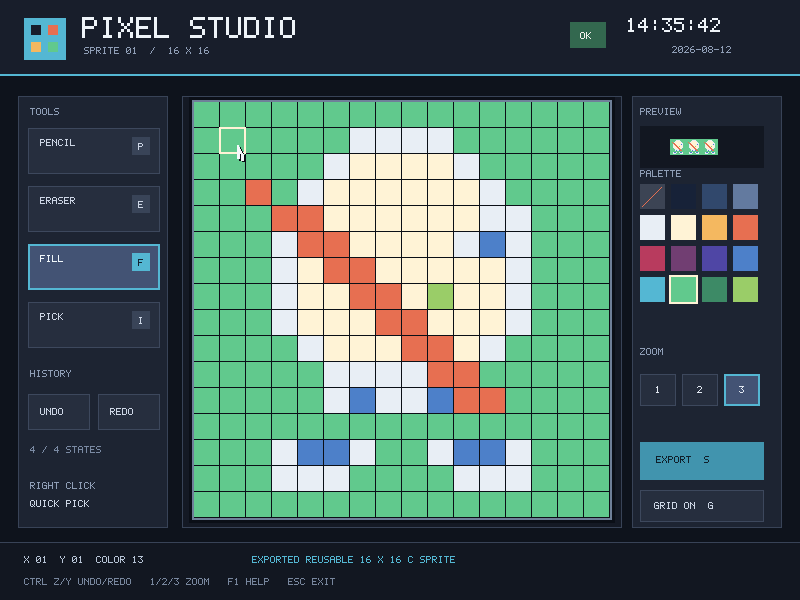
Continuous drag interpolation avoids gaps, each gesture becomes one undo state, and export produces an RTC-stamped C header.
- Tools: pencil, eraser, flood fill, eyedropper, 16-color palette.
- Editing: 32-state undo/redo, three zoom levels, optional grid, live preview.
- Controls: mouse draw/select; right-click pick;
B/P/E/F/I;1/2/3or-/+;Cmd/Ctrl+Zundo,Cmd/Ctrl+Shift+Zredo (Ctrl+Yalso works);C;G;S/F2orCmd/Ctrl+S;F1/H;Esc. - Artifact:
build/pixel_studio_sprite.hby default, or the first program argument.
lcom-ng run -- build/examples/pixel_studio \
  build/pixel_studio_sprite.h
The authored replay paints, fills, undoes, redoes, exports, and exits:
lcom-ng run --headless --script scripts/pixel_studio_demo.mlabscript \
  --dump-frame build/pixel-studio.ppm --max-ticks 900 -- \
  build/examples/pixel_studio build/pixel_studio_sprite.h
Paired Serial Whiteboard
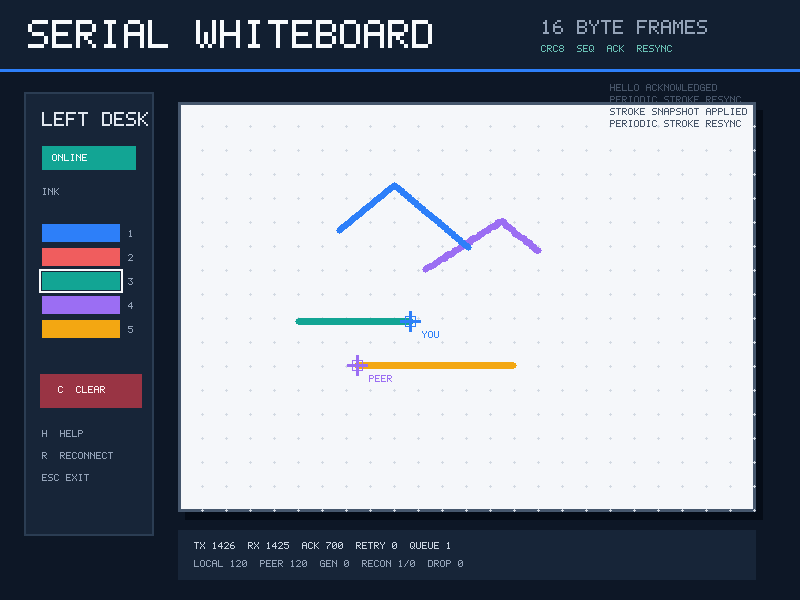
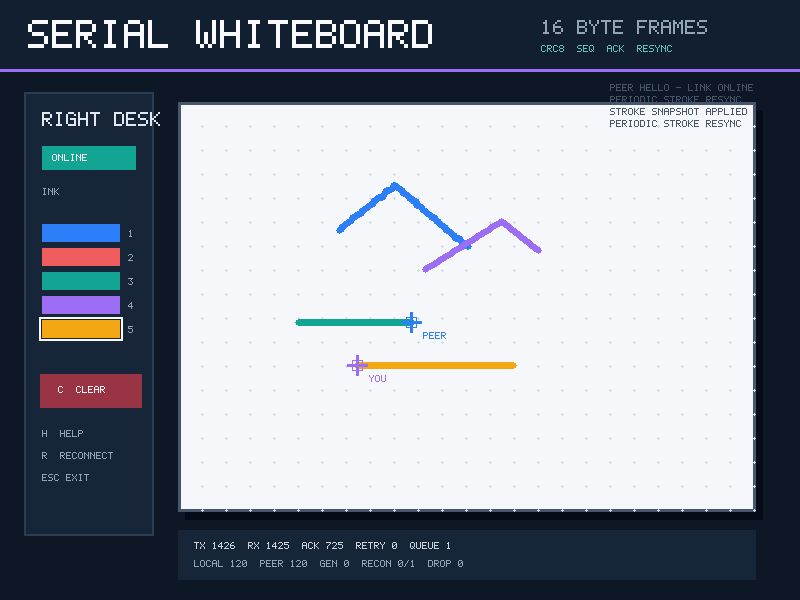
Two guests share strokes and cursors over COM1. Frames stay within the UART's 16-byte FIFO, and the UI shows transport state.
- Protocol: CRC8, sequence numbers, ACK/NACK, timeout/retry, duplicate and out-of-order handling.
- Recovery: HELLO sessions, bounded queues and stroke histories, incremental snapshots, atomic resync, same-token transport-reset recognition.
- Controls: drag to draw; click the palette or press
1-5;Cclears both peers;Gtoggles the grid;Sresyncs;Rrotates the local session;F1/Hhelp;Escexit.
lcom-ng run-pair build/examples/serial_whiteboard left \
  --right build/examples/serial_whiteboard right
The deterministic replay draws from both sides, rotates the left session, and resynchronizes:
lcom-ng run-pair --headless \
  --left-script scripts/serial_whiteboard_left.mlabscript \
  --right-script scripts/serial_whiteboard_right.mlabscript \
  --left-dump-frame build/serial-whiteboard-left.ppm \
  --right-dump-frame build/serial-whiteboard-right.ppm \
  --max-ticks 1000 \
  build/examples/serial_whiteboard left \
  --right build/examples/serial_whiteboard right
Pass restart after either role to exercise an in-process transport reset. The peer rebuilds synchronized state without discarding either canvas.
Focus Clock
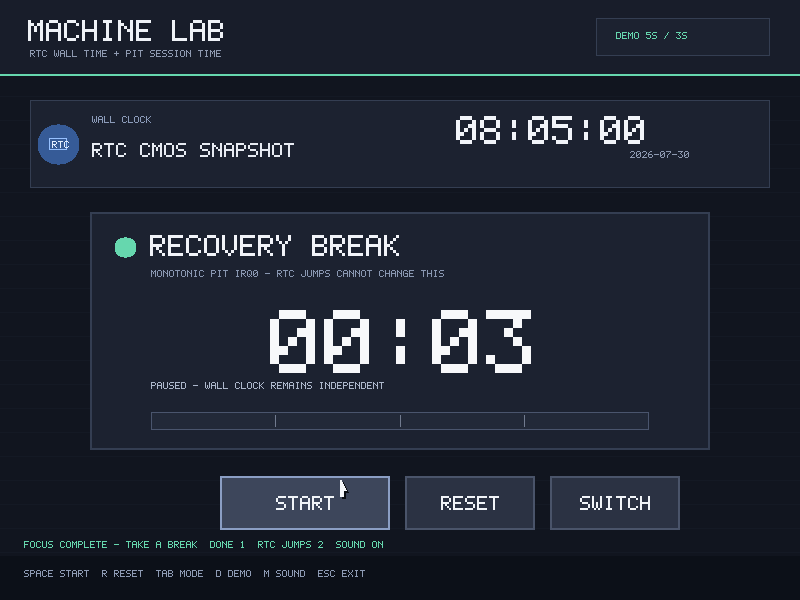
RTC/CMOS supplies wall time; PIT interrupts advance the session. Scripted RTC jumps move the clock without changing elapsed session time.
- Sessions: 25-minute focus / 5-minute break, or 5-second / 3-second demos.
- Audio: completion signal, mute state, visible availability.
- Controls:
Spacestart/pause;F/Bfocus or break;Tabswitch session;Rreset;Ddemo lengths;Msound; mouse buttons;F1help;Escexit.
lcom-ng run --rtc 2026-07-30T09:30:00 -- \
build/examples/pomodoro_clocklcom-ng run --headless --rtc 2026-07-30T09:40:00 \
--script scripts/pomodoro_clock_demo.mlabscript \
--audio-wav build/pomodoro-clock.wav \
--dump-frame build/pomodoro-clock.ppm --max-ticks 500 -- \
build/examples/pomodoro_clockInterrupt Scope
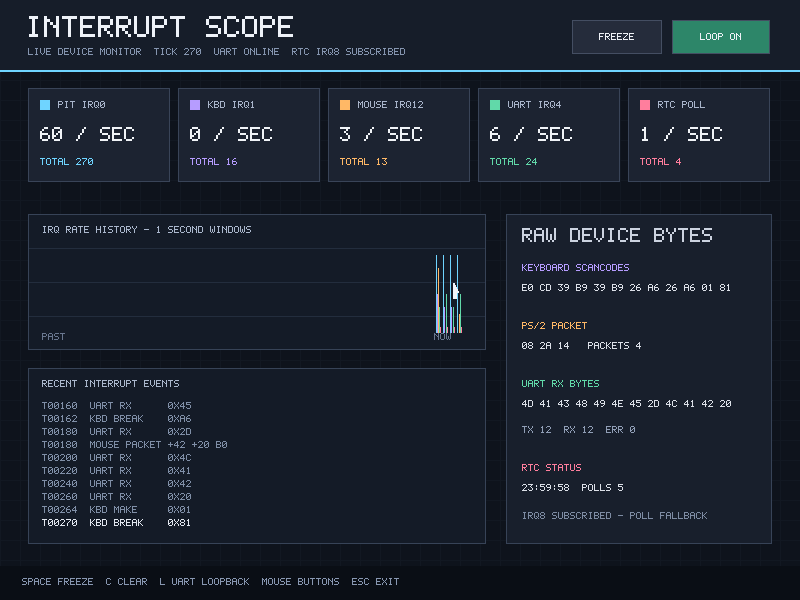
A live panel with totals, one-second rate windows, raw byte histories, and a recent-event log in one framebuffer.
- Sources: PIT IRQ0, keyboard IRQ1, mouse IRQ12, UART IRQ4, and RTC polling.
- Details: make/break scancodes, PS/2 packets, UART RX bytes and errors, RTC snapshots with separate IRQ8 status.
- Controls: keyboard and mouse generate traffic;
Spacefreezes history;Cclears counters;Ltoggles COM1 loopback;Escexits.
lcom-ng run --rtc 2026-07-30T08:40:00 -- \
build/examples/interrupt_scopelcom-ng run --headless --rtc 2026-07-30T09:40:00 \
--script scripts/interrupt_scope_demo.mlabscript \
--dump-frame build/interrupt-scope.ppm --max-ticks 360 -- \
build/examples/interrupt_scopeTile Forge
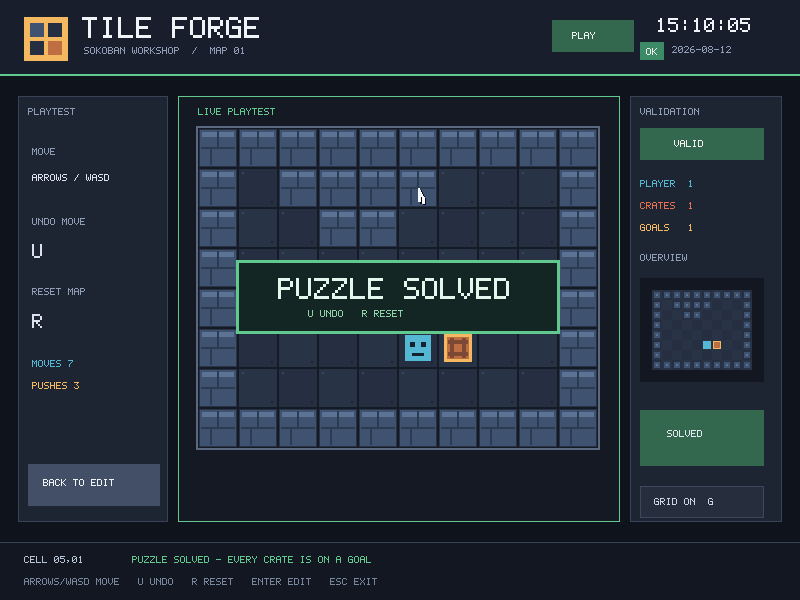
A layered 10×8 map editor with a Sokoban playtest on an isolated copy, so crates never damage the authored map.
- Editor: continuous painting, right-click pick, gesture-level undo/redo, grid, minimap, validation for player/crate/goal invariants.
- Playtest: arrows or WASD, move undo, reset, solved state, move/push counts.
- Controls:
1-5brushes;Cmd/Ctrl+Zundo,Cmd/Ctrl+Shift+Zredo (Ctrl+Yalso works);G;V;S/F2orCmd/Ctrl+S;Enter/M;F1/H; then arrows/WASD,U,R;Esc. - Artifact: RTC-stamped
.mlmapwith a portable 10×8 glyph grid and validation result.
lcom-ng run -- build/examples/tilemap_editor build/tilemap_demo.mlmaplcom-ng run --headless --script scripts/tilemap_editor_demo.mlabscript \
--dump-frame build/tilemap-editor.ppm --max-ticks 700 -- \
build/examples/tilemap_editor build/tilemap_demo.mlmapReliable Serial Transfer
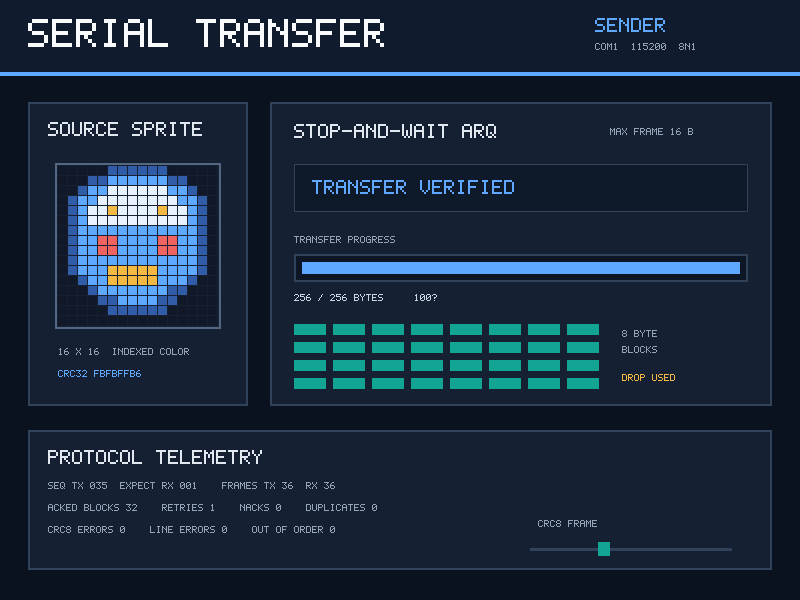
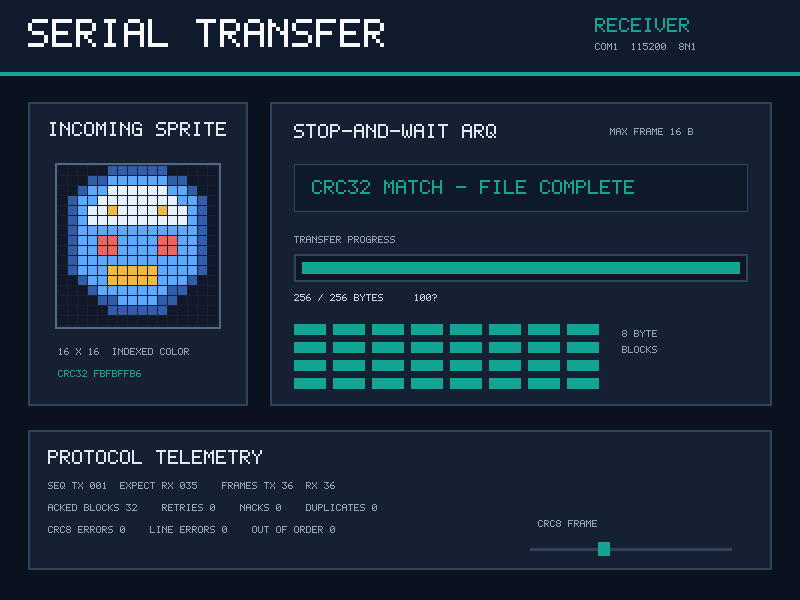
The sender transfers a 16×16 indexed sprite in 8-byte blocks. Every frame fits the 16-byte FIFO, carries CRC8, and uses stop-and-wait delivery. The image must also match its advertised CRC32.
- Flow: HELLO, manifest, 32 data blocks, final verification.
- Recovery: ACK/NACK, duplicate rejection, timeout, bounded retries, final-ACK recovery, coordinated terminal failures.
- Completion: both roles print bytes, blocks, checksums, and retry totals, then exit.
lcom-ng run-pair build/examples/serial_transfer send \
  --right build/examples/serial_transfer receive
Add the sender's fault argument to suppress one block on its first attempt. The timeout retransmits it and the final CRC32 still matches:
lcom-ng run-pair --headless --max-ticks 1400 \
  build/examples/serial_transfer send fault \
  --right build/examples/serial_transfer receive
This demonstrates application-level recovery. General runtime UART latency, loss, and framing-error injection remain future work.
For failure paths, receive dropack recovers a lost final ACK; receive corrupt and sender modes badcrc / stall exit both peers with the same machine-readable reason.
Ambient Aquarium
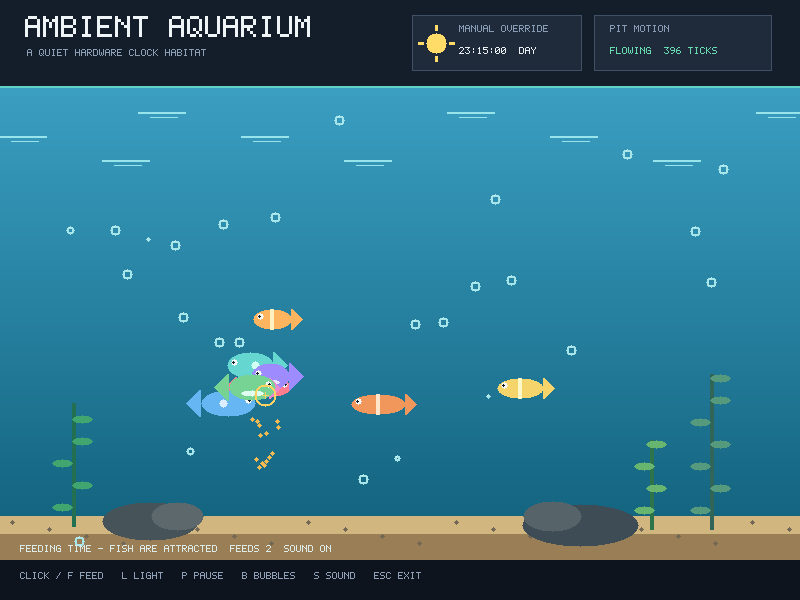
RTC wall time selects lighting; PIT ticks move fish, food, and bubbles. Mouse interaction and generated tones complete the habitat.
- Behavior: nine fish, feeding attraction, bubbles, deterministic motion, RTC-following or manual lighting.
- Audio: chimes for feeding and lighting changes.
- Controls: click or
Ffeed;Llighting;Afollow the clock;1-4dawn/day/sunset/night;P/Spacepause;Bbubbles;M/Ssound;Rreset;F1help;Escexit.
lcom-ng run --rtc 2026-07-30T18:30:00 -- \
build/examples/ambient_aquariumlcom-ng run --headless --rtc 2026-07-30T08:15:00 \
--script scripts/ambient_aquarium_demo.mlabscript \
--audio-wav build/ambient-aquarium.wav \
--dump-frame build/ambient-aquarium.ppm --max-ticks 520 -- \
build/examples/ambient_aquarium